![logo-7.png]](https://help.thinkreliability.com/hs-fs/hubfs/logo-7.png?height=50&name=logo-7.png)
From your manager dashboard's left sidebar, navigate to the reporting dashboard using the following steps:
- Click Reporting
- Click Explore
- Click Dashboards
- Select Reporting Dashboard
Out-of-the-Box Reports
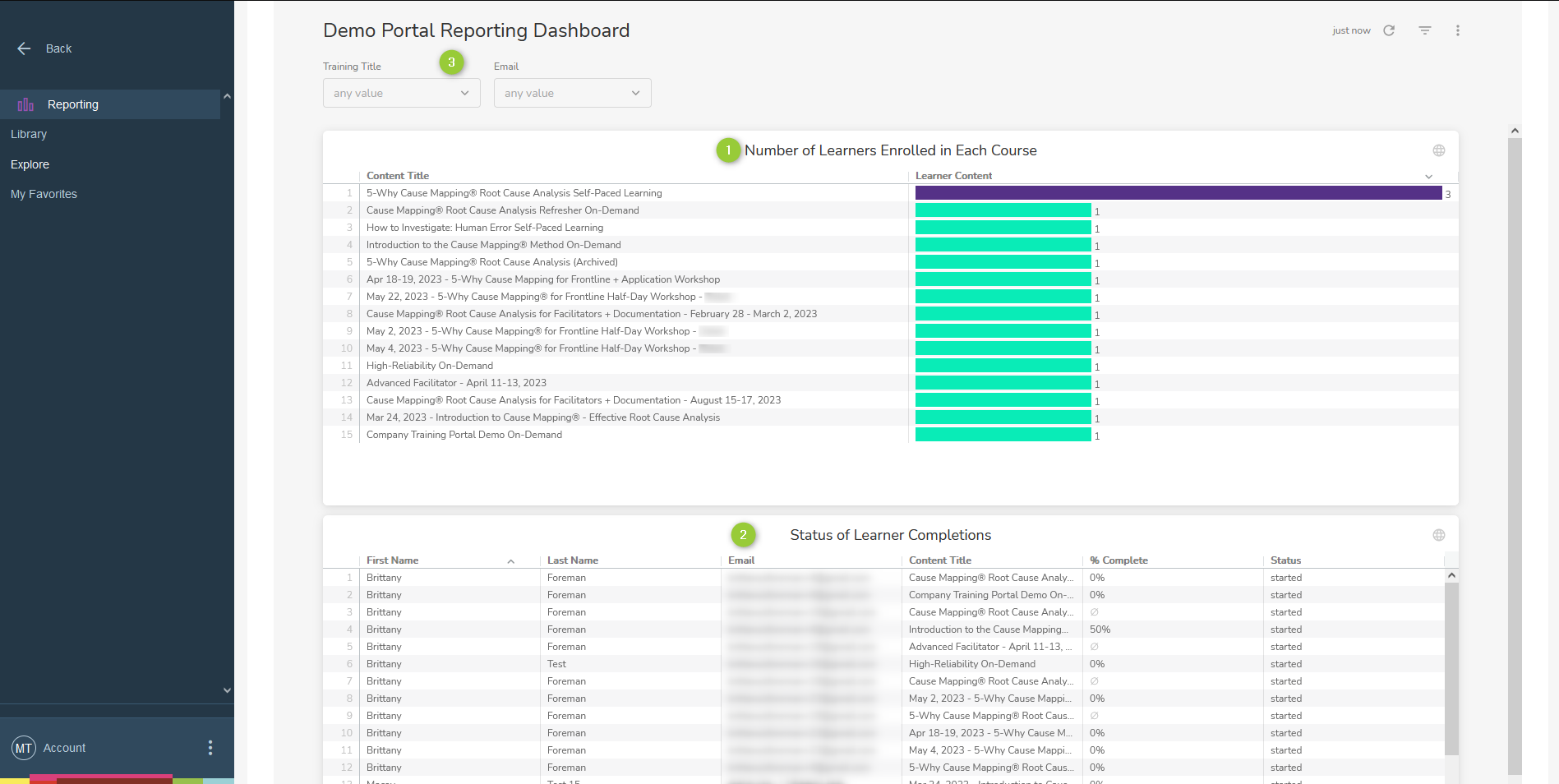
- Report on Total Number of Learners Enrolled in Each Course
- Report on Completion Progress of Each Learner in Each Enrolled Course
- Filter Options
Enhance your manager dashboard with custom reports tailored to your specific needs. If there are additional reports you would like, simply reach out to us at support@thinkreliability.com and we'll make it happen.